
Premise
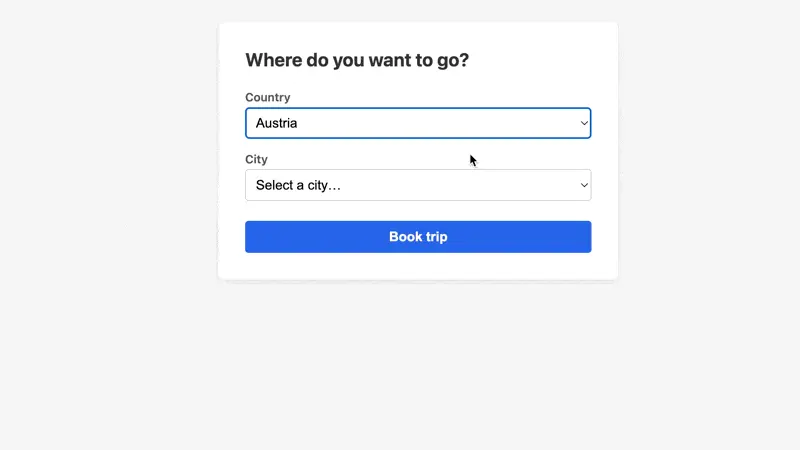
Pick a country, then pick a city — you’ve seen this pattern a thousand times. The second dropdown depends on what you chose in the first. In jQuery-land this meant fetching JSON and manually rebuilding <option> elements. In React, you’d manage loading states, store the fetched options in component state, and re-render. With Turbo Frames, the server just re-renders the HTML you already have.
The trick: wrap the dependent <select> in a <turbo-frame>, and when the first one changes, reload that frame with the selected value as a query parameter. The server filters the options and returns the updated frame. No JSON APIs, no manual DOM manipulation.
The Stimulus controller that ties it together is surprisingly small.
Starting Point
We have a simple form with a Country select. The city select doesn’t exist yet — it should only appear after a country has been chosen.
The server has a small dataset of countries and their cities, and accepts a country_id query parameter to return the matching city list. But nothing in the frontend triggers that yet.
Challenge
There’s an empty <turbo-frame id="city_select"> in the page. Your job is to wire up a Stimulus controller that loads the city select into that frame when a country is chosen:
- When the country select changes, build a URL with the selected
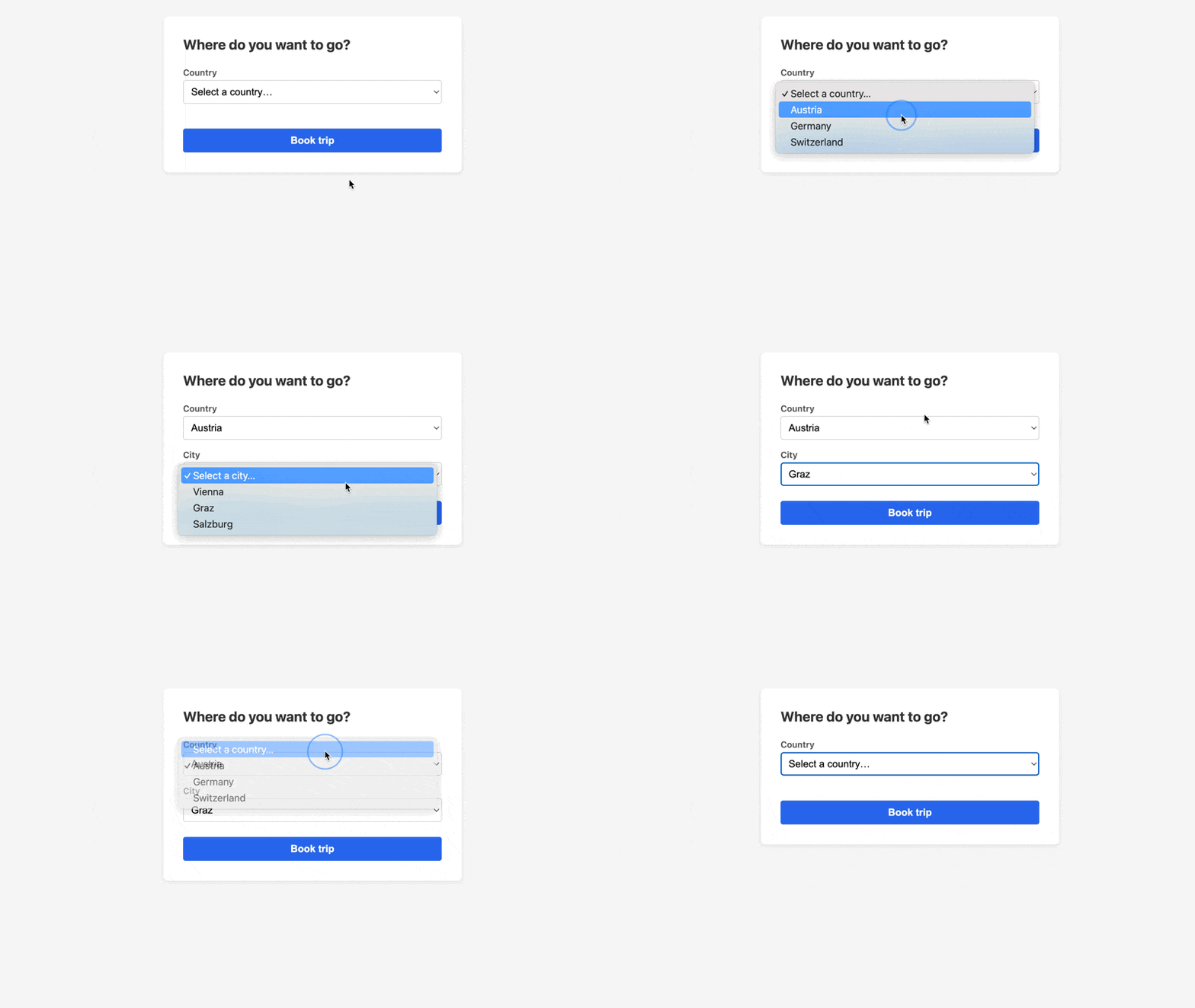
country_idas a query parameter and set it as the city frame’ssrc. The server already knows how to return the right cities — it just needs the parameter. - When the country select is reset to the placeholder, the city frame should go back to being empty.
Here’s a preview of the result:
Teaser
What if you had a third level — say, Country → City → Neighborhood? Can you extend the pattern so picking a city loads a neighborhood select into yet another frame?