
Premise
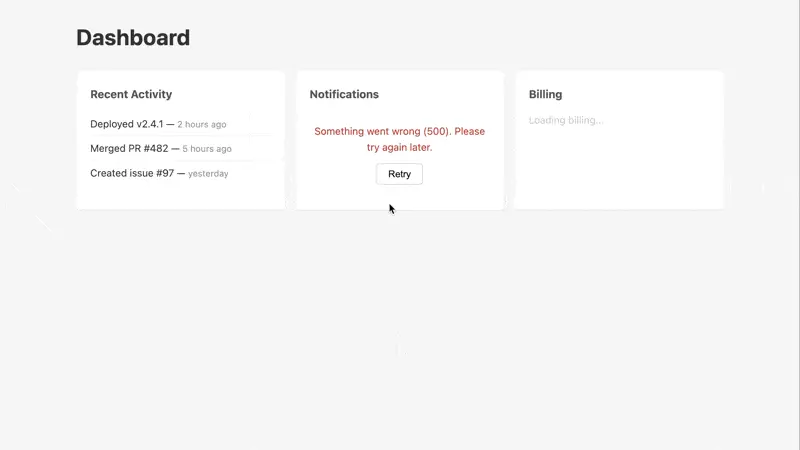
You’ve seen it: a Turbo Frame request hits a 500, and instead of anything useful, the user gets “Content Missing.” Or worse - a network blip leaves a lazy-loaded frame silently empty. No feedback, no way to recover.
React solved this years ago with Error Boundaries - a wrapper component that catches failures in its children and renders fallback UI. We can do the same thing in Hotwire with a Stimulus controller that listens for turbo:frame-missing and turbo:fetch-request-error, shows a clean error state, and offers a retry button.
Building on the frame lifecycle work from Challenge 44 (loading spinners) and Challenge 46 (form loading states) - this challenge handles the failure path.
Starting Point
We have a dashboard with three lazy-loaded Turbo Frames: Recent Activity, Notifications, and Billing. Each frame has a src attribute and loads independently on page load.
The server is a small Express app standing in for a Rails backend. It has three routes - but not all of them are healthy:
/frames/activityreturns valid frame content./frames/notificationsreturns a 500 error (after a short delay) - a generic error page with no matching<turbo-frame>, which triggersturbo:frame-missing./frames/billingdrops the connection, simulating a network failure that triggersturbo:fetch-request-error. Note: this one takes a while to show — the browser needs to time out the request before the error fires.
Right now, the notifications frame shows “Content Missing” and the billing frame stays stuck on its loading state. The error_boundary_controller.js has connect(), showError(), and retry() pre-filled. Your job is the two event handlers.
The error-boundary controller lives on a wrapper <div> around each frame, with the <turbo-frame> as a frame target and a <template> as an errorTemplate target. The action descriptors for turbo:frame-missing and turbo:fetch-request-error are wired on the frame element, bubbling up to the controller.
Challenge
One file needs work - error_boundary_controller.js:
The controller skeleton already handles connect(), showError(message), and retry() for you. The showError method clones the error template, fills in the [data-role="message"] element with the message you pass, and swaps it into the frame. Your job is the two event handlers — each one deals with a different type of failure:
-
Handle
turbo:frame-missing. InhandleFrameMissing, callevent.preventDefault()to suppress the “Content Missing” message. Then readevent.detail.response— it’s a standard Response object with the server’s error response. Extract the status code and pass a user-friendly message toshowError(), e.g."Something went wrong. Please try again later." -
Handle
turbo:fetch-request-error. InhandleFetchError, callevent.preventDefault()and pass a network-specific message toshowError(). This time there’s noevent.detail.response— the request never got a response. Instead,event.detail.errorhas the Error object describing the failure.
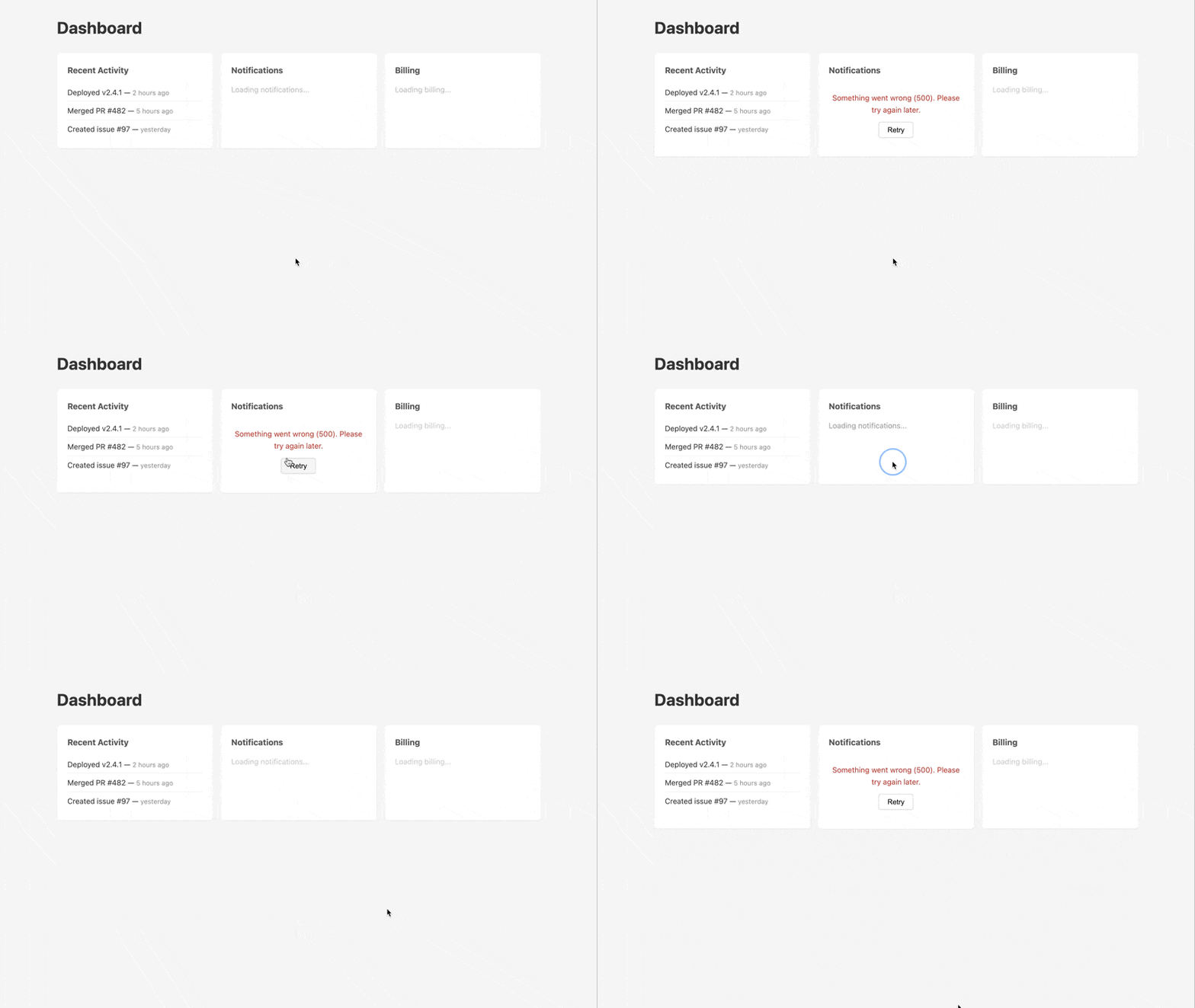
Here’s the end result - activity loads normally, notifications shows an error state instead of “Content Missing”, billing eventually shows a network error, and clicking Retry re-fetches:
Reminder: the Node server simulates a Rails backend. If you make changes to index.js, restart with npm start.
Teaser
What if you added exponential backoff - automatically retrying 3 times with increasing delays before showing the error UI? And could you announce failures to screen readers using an aria-live region on the error template?
Caveat
The two events cover different failure modes. turbo:frame-missing fires when the HTTP request succeeds (you get a response) but the HTML doesn’t contain a <turbo-frame> with a matching id - the typical case for 4xx/5xx error pages. turbo:fetch-request-error fires when the request itself fails at the network level - no response at all. You need both for a robust error boundary.
Also worth knowing: turbo:frame-missing provides event.detail.visit - a function that replaces the entire page with the error response. That’s Turbo’s built-in escape hatch, useful for auth redirects (e.g., 401 → login page). The error boundary pattern is better for partial failures where the rest of the page should keep working.