

Premise
In the Loading Spinner challenge, we added busy indicators for Turbo Frame navigations — links that swap frame content asynchronously.
But what about forms? When a user submits a form inside a Turbo Frame, Turbo handles the request and swaps the response, but gives zero visual feedback while it’s in flight. The button stays clickable, nothing changes on screen, and the user is left wondering if their click registered — especially on slow connections.
Back in the Rails-UJS days, we had data-disable-with to handle this. Turbo 8 has its own answer, but it’s not automatic.
Starting Point
We have a simple guest book inside a <turbo-frame>. The server stores entries in memory and redirects back to the frame after a 1.5 second delay — simulating a slow save.
The form lives inside the frame, so Turbo intercepts the submission and swaps the response automatically.
Try it: submit an entry and notice the dead silence while the request is in flight. No spinner, no disabled button, no feedback at all.
Challenge
Make the form feel responsive during submission:
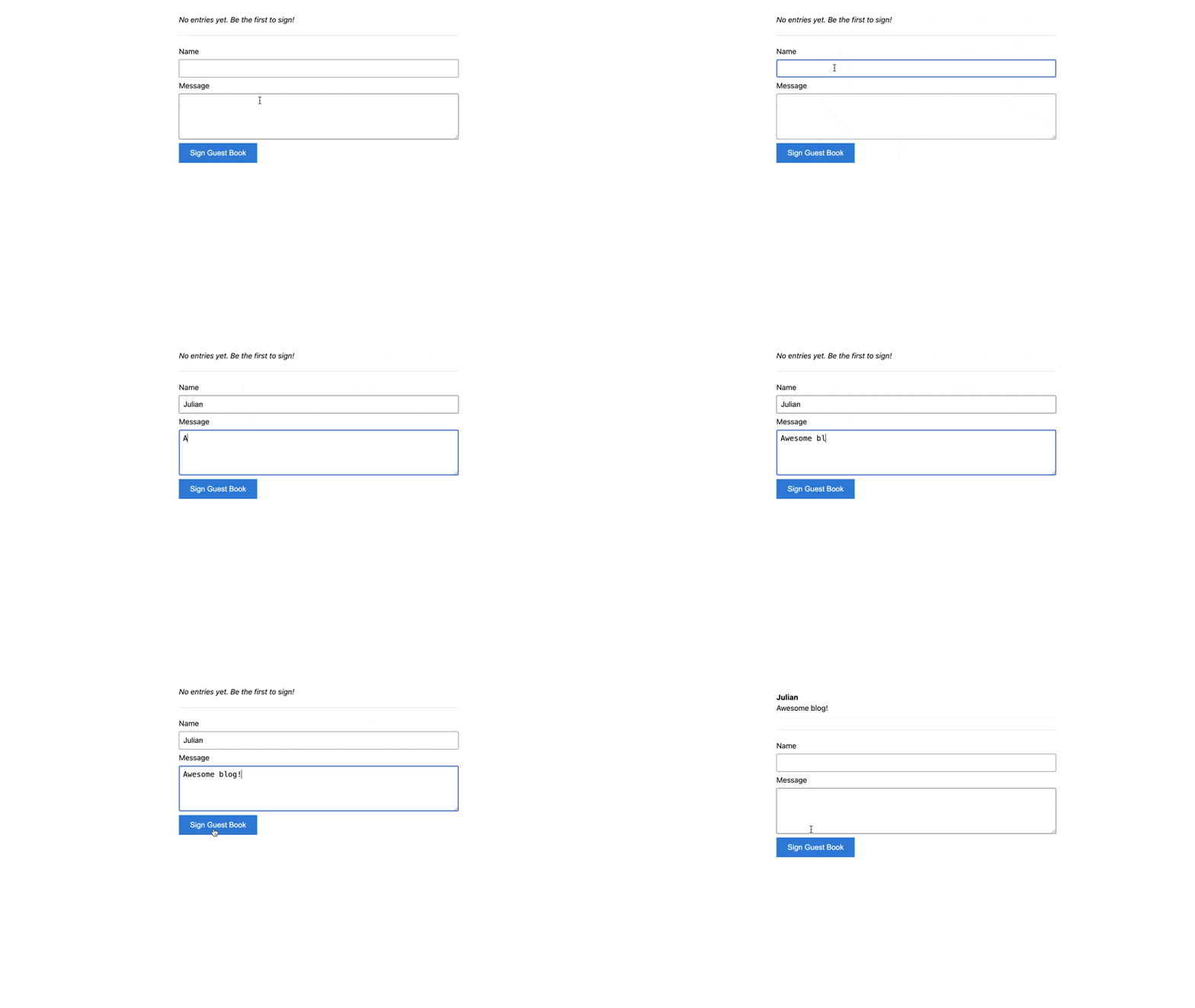
- The submit button should change its text and become disabled while the request is in flight. Look up Turbo 8’s successor to
data-disable-within the Turbo Handbook. You’ll need to edit the button markup inrenderFrame()inside index.js — remember to restart the server withnpm startafter making changes there. - The frame itself should show some visual indication that it’s busy. Remember: Turbo sets
[busy]and[aria-busy]on frames during requests — how can you use that in CSS?
Here’s a preview of the end result:
Teaser
Can you combine this with the <template>-based spinner approach from the Loading Spinner challenge?